

01
Start with voice
Speak naturally for up to 60 seconds when tapping through every field does not fit the moment.
Migraine attack log for iPhone
SereneHead helps you capture a migraine attack by voice, Quick Log, or typing, then review severity, timing, pain location, triggers, symptoms, medication, and notes in one private journal.
For personal tracking only. SereneHead does not diagnose, predict, prevent, or advise treatment.
Problem
During or after a migraine, it can be hard to remember timing, pain location, symptoms, possible triggers, medication, and what helped. A long form can make the entry less likely to happen at all.
SereneHead is built around a lower-effort path: log what you can now, review the structured entry, and return later to add the details you missed.
SereneHead solution
01
Speak naturally for up to 60 seconds when tapping through every field does not fit the moment.
02
Save a minimal entry quickly, then enrich it later from the same journal history.
03
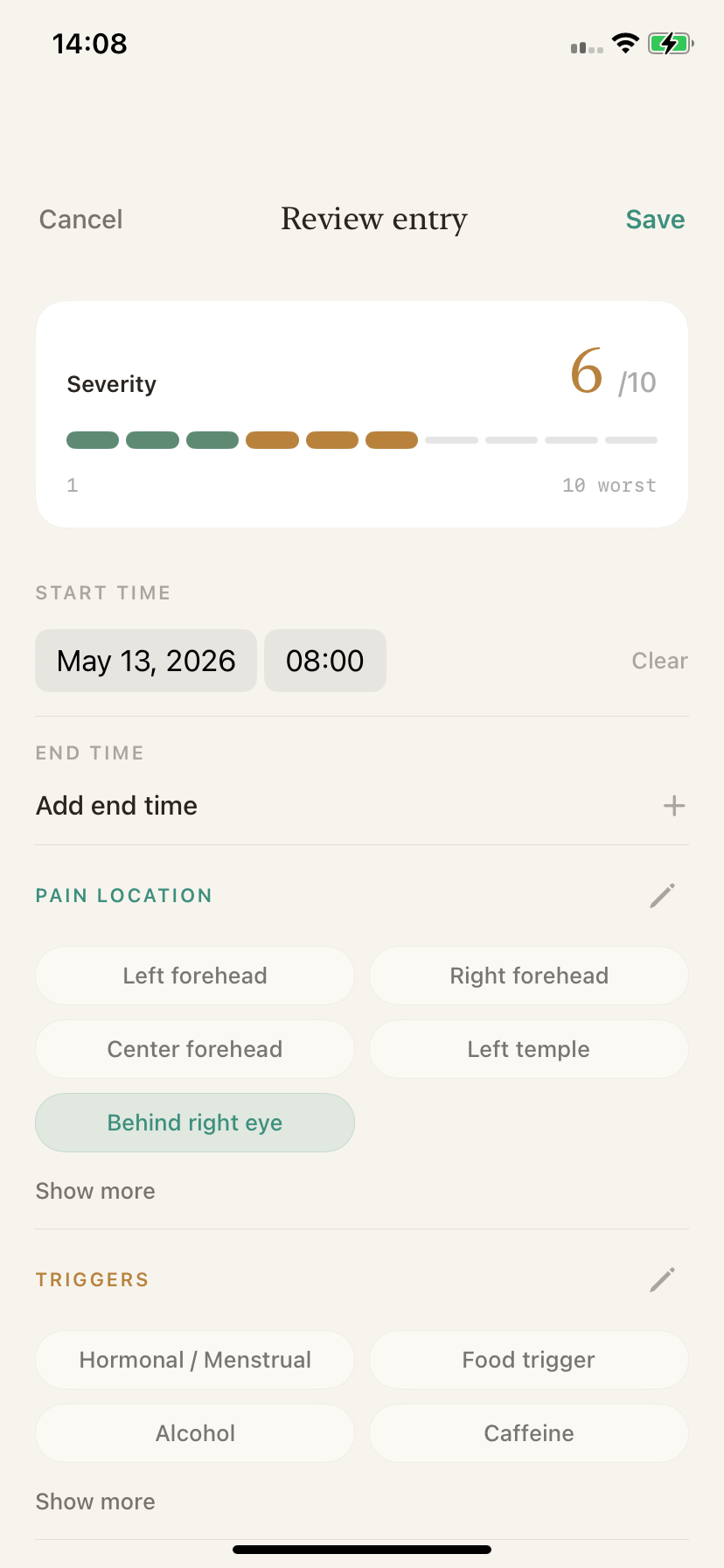
Check severity, start and end time, pain location, symptoms, triggers, medication, relief methods, and notes before saving.
04
Saved entries stay in your SereneHead journal and can support insights or doctor-ready PDF reports when you choose.
Tracking boundary
SereneHead organizes information you provide so it is easier to review later. It does not determine causes, predict attacks, prevent attacks, diagnose a condition, or advise treatment.
How it fits
Use Voice, Quick Log, or Type depending on what is realistic during or after the attack.
Review the fields SereneHead prepares and edit anything that needs a clearer record.
Return to the saved log for personal review, insights, weather context, or a doctor-ready PDF.
FAQ
You can record severity, start and end time, pain location, symptoms, triggers, medication, relief methods, notes, and a transcript when the entry starts from voice.
Yes. You can speak naturally, review the structured draft, edit fields if needed, and save the entry to your private journal.
Yes. Quick Log is meant for low-effort capture. You can open the entry later and add more detail.
Yes. You can edit the start time and add an end time, which helps when the entry is created after the attack has passed.
Yes. Saved entries can be included when you generate a doctor-ready PDF report from your SereneHead history.
No. SereneHead helps you keep a reviewable personal record. It does not diagnose, identify causes, predict attacks, prevent attacks, or advise treatment.